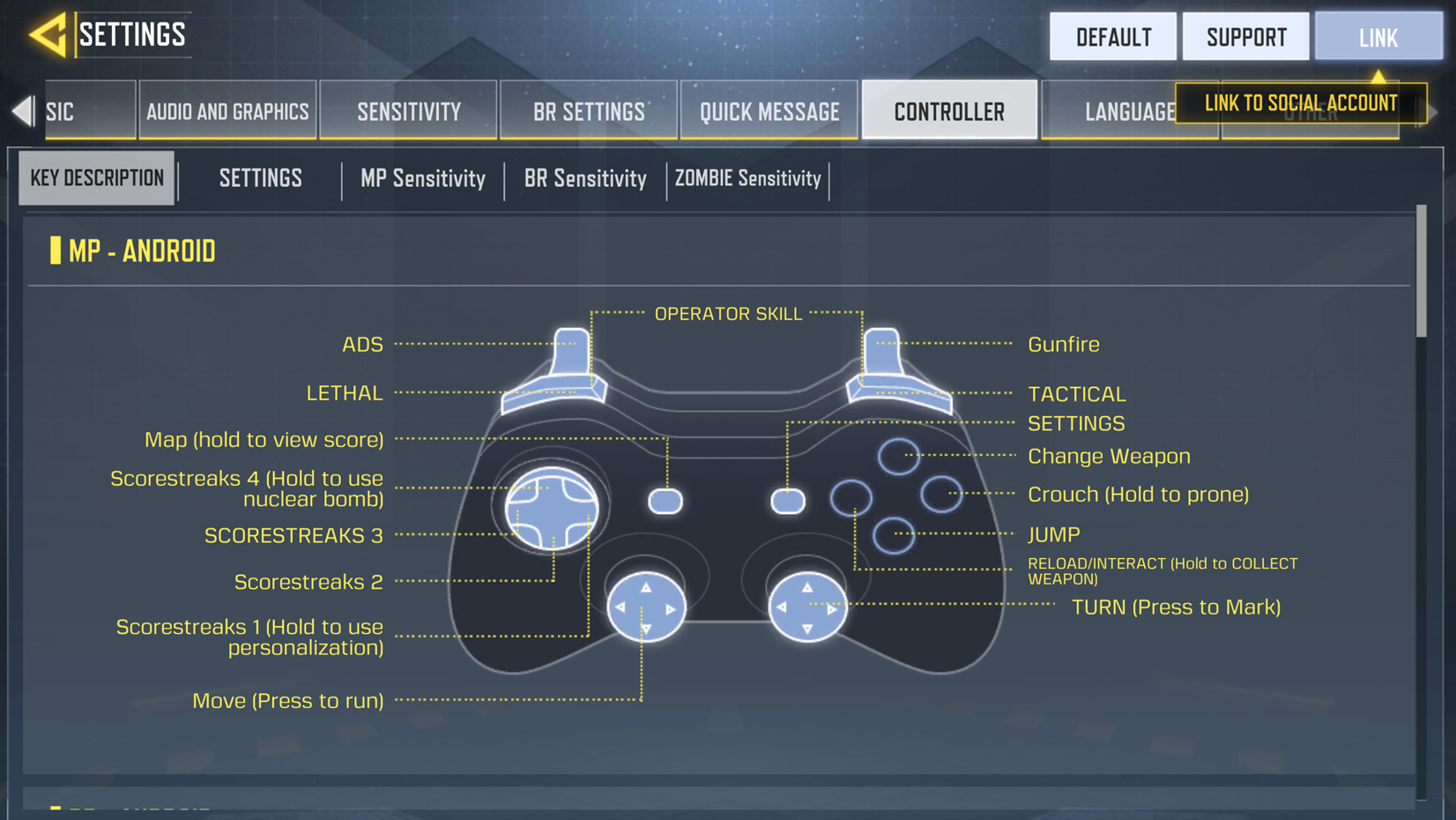

Call of Duty: Mobile has built-in controller support, so you don’t need a third-party mapping app. If you’re looking for Call of Duty mobile controller support, setup involves pairing your controller with your phone and then enabling controller support in the game’s settings. Activision currently supports Xbox One and Series X/S controllers, PS4 DualShock 4 and PS5 DualSense controllers, and Backbone One.
Which Controllers Work With COD Mobile?
COD Mobile officially supports:
- Official Xbox One controllers
- Official Xbox Series X/S controllers
- PS4 DUALSHOCK 4 controllers, excluding first-generation models
- PS5 DualSense controllers
- Backbone One controllers
Other third-party controllers may work, but Activision does not officially support them.
How to Connect a PS4 or PS5 Controller
- Open Bluetooth settings on your phone.
- Put the controller into pairing mode. On a PS4 controller, hold Share + PS until the light starts flashing. For a PS5 DualSense, use PS + Create.
- Select the controller from your phone’s Bluetooth device list.
- Open COD Mobile.
- Tap the Gear icon, open the Controller tab, select Settings, and choose Enable Controller Support.
Once enabled, you can adjust your controller settings for supported game modes.
How to Connect an Xbox Controller
- Turn on Bluetooth on your phone.
- Turn on the Xbox controller.
- Hold the Xbox and Sync buttons until the controller enters pairing mode.
- Select the controller from your phone’s Bluetooth list.
- Open COD Mobile and go to Settings > Controller > Settings.
- Select Enable Controller Support.
The same basic process applies to supported Xbox One and Xbox Series X/S controllers. Controller support is available for Multiplayer and Battle Royale matches; some menus still use touch controls.
Fixing Common Connection Problems
If Call of Duty: Mobile controller support isn’t working after pairing, follow the below steps.
- Controller won’t pair: Make sure it is in Bluetooth pairing mode and isn’t already connected to another device. If necessary, remove the controller from your phone’s Bluetooth list and pair it again. For a DualShock 4, resetting the controller can also help.
- Controller disconnects mid-match: Activision notes that a controller can disconnect when the device is left idle. If that happens, reconnect the controller to your phone and resume play.
- Bluetooth keeps failing: If your phone and controller support a wired connection, try a compatible USB-OTG adapter instead. Some devices support direct wired controller connections.
FAQs
- Can you use a controller on iOS?
Yes. Supported PS4, PS5, Xbox, and Backbone One controllers can be used with compatible iOS devices. Pair the controller with the phone first, then enable controller support in COD Mobile.
- Does a controller give an aim-assist advantage over touch controls?
There isn’t a verified official figure showing how much of an advantage controller aim assist provides over touch controls. Treat specific percentages or claims about a guaranteed advantage with caution.
- Can you use a Nintendo Switch controller?
Switch Pro Controllers and Joy-Cons are not included in Activision’s current officially supported COD Mobile controller list. Other third-party controllers may work, but Activision does not officially support them.
Once your controller is connected and recognized, the next step is adjusting your gamepad settings. Check our COD Mobile guides for more controller and sensitivity tips.